Introduction
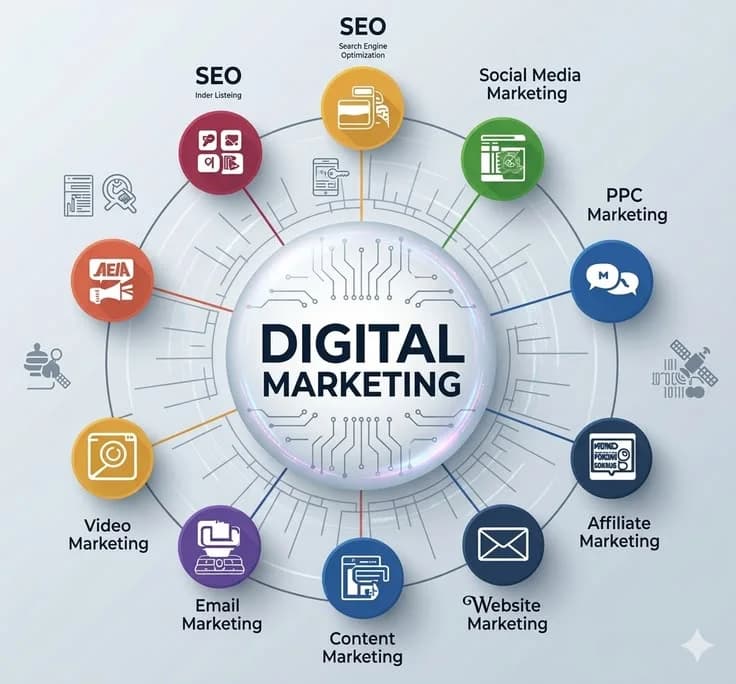
Digital marketing isn't about creativity anymore. It's about the right tools for research, creation, automation, analysis, etc. The abundance of tools available can be overwhelming for beginners. What's first? Google Analytics? Canva? SEMrush? Mailchimp?
Below, we've categorized tools to help you decide which essential digital marketing tools to learn in 2026. With this resource, you can save time and money, and build your toolset with only the tools you'll need.
Why Tools Matter More Than Ever in Digital Marketing
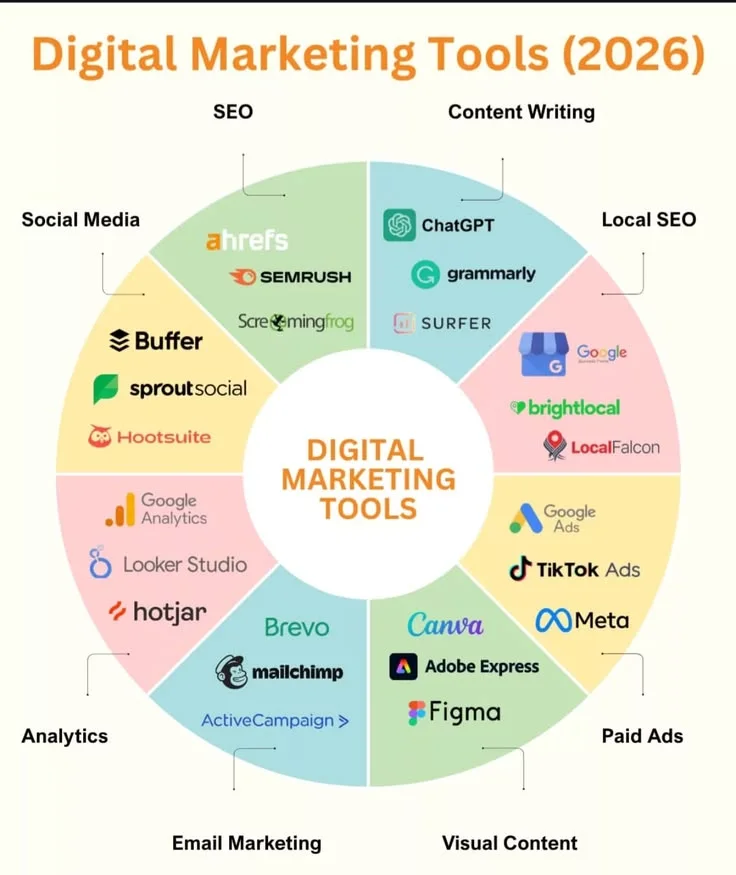
Marketing has become focused on data and process automation. Knowledge of the tools of the trade means:
Automating processes saves time
Data can be used to create informed decisions and not be the basis for guesses
Professional content can be created without a dedicated designer
The performance and ROI can be measured and tracked, showing value to clients and employers
You'll have a leg up on the competition in interviews and freelance gigs.
Clients and employers will want to see your knowledge of tools to prove your skills, and not just your ability to understand the theory.
- SEO Tools
Google Search Console (Free)
An absolute must for beginners. It shows how your site performs in search and pulls data on impressions, clicks, rankings, indexing, etc. Nothing beats it, not even paid options.
Ubersuggest / Google Keyword Planner (Free/Freemium)
These tools help you search for keywords and help search for what people are searching for and the volume and level of competition.
SEMrush or Ahrefs (Paid)
These are the tools to use to research your competition, backlinks, and keywords. These tools are typically started with a free trial before a paid subscription is started.
Beginner tip: Use Google Search Console and Ubersuggest for free before investing in advanced SEO tools — they cover most of what beginners need.
- SOCIAL MEDIA MANAGEMENT TOOLS
Meta Business Suite (Free)
Control Facebook & Instagram activities with one analytics dashboard.
Buffer / Later (Free)
Easily schedule posts and analyze your data.
Hootsuite (Paid)
Great for managing multiple social media accounts.
- CONTENT CREATION & DESIGN TOOLS
Canva (Free)
Design social media graphics without prior experience.
CapCut (Free)
Edit videos with this user-friendly app.
ChatGPT / Claude (Freemium)
Assist with writing tasks and promote creativity with the ability to generate captions, outlines, and ad copy almost instantaneously.
- EMAIL MARKETING TOOLS
Mailchimp (Freemium)
Begin the journey into email marketing with ease & comfort thanks to the templates and automation.
MailerLite (Freemium)
Almost like a newer & fresher Mailchimp.
Learn basic automation for email marketing and begin creating outstanding campaigns. You will see return for the small investment in time.
- Analytics & Performance Tracking
Google Analytics 4 (Free)
Google GA4 is the global standard for analyzing data and digital marketing. All digital marketers must learn GA4 basics at the very minimum.
Google Tag Manager (Free)
Google Tag Manager allows users to manage tracking tags and ad pixels independently without an IT developer.
Meta Pixel / Meta Ads Manager (Free)
Meta Pixel is a must-have for marketers placing ads on Facebook and Instagram. It measures ad campaign conversions.
- Paid Advertising Tools
Google Ads (Freemium — pay per use)
Google Ads is the first platform for marketers to use when learning about search and display advertising. Budding marketers should learn via Google’s free Skillshop course before using Ads.
Meta Ads Manager (Freemium — pay per use)
Meta Ads Manager is the primary tool for ads on Facebook and Instagram. Meta Ads offers audience selection and performance tools.
- SEO Content & Writing Tools
Grammarly (Freemium)
Grammarly is an easy tool to keep quality and professionalism in all forms of marketing communication and writing.
Surfer SEO / Frase (Paid)
These tools assist digital marketers and SEO specialists in crafting blog posts that meet search engine standards.
- Project & Client Management Tools

Trello / Notion (Freemium)
Trello / Notion offer tools to keep track of each client and/or project. Essential for freelancers juggling several clients.
Google Workspace (Freemium)
Google Docs and Sheets are essential tools for creating reports and proposals as well as working on client projects.
How Beginners Should Approach Learning These Tools

It's neither practical nor necessary to learn all the tools we've mentioned above right away. Instead, follow this practical guideline:
As a beginner, start by using all the tools that are free.
After that, practice using these tools on a personal or fake project.
Using the fake or personal project as a starting point, only then invest in the first professional tool, ie, SEMrush, if you are doing serious client SEO.
Where you can get certified, do so.
There are free certifications from Google and Meta; these help your work gain credibility.
These Mistakes Are What Beginners Make With Tools
Trying to learn far too many tools and not mastering some main ones
Investing in professional tools without testing free tools
Not using analytics tools because you think the tools are too technical
Not implementing project management tools, and not using these tools means you are going to miss deadlines and cause a lot of chaos for your client work
Conclusion
Using the right digital marketing tools can greatly improve the quality of your work much faster, and even change the direction of a personal brand, freelance work, or a job-related tool. Start using the free tools.
Mastery of tools is not about collecting subscriptions. Rather, it is about knowing the tools that solve the problems you face and doing so with confidence and in the most efficient way.
FAQs
Q1. Do beginners need to pay for SEO tools?
As a beginner, you don’t need to pay for SEO tools. With Google Search Console and Ubersuggest, you get access to the tools you need at no cost. Paid tools like SEMrush or Ahrefs become necessary once you begin working with more competitive client projects.
Q2. Which tool should a beginner learn first?
The best first tool for a beginner to learn is Google Analytics.
Being familiar with GA4 lets marketers read and understand the data and the ROI from a marketing campaign.
Q3. Are AI tools replacing digital marketing tools?
The role of AI tools in digital marketing is for help with content creation and idea generation. The majority of essential digital marketing and analytics tools will remain the same. AI tools are an extension of digital marketing tools and work best in collaboration.
Q4. How many tools should a beginner learn before applying for a job?
A beginner should learn 5–7 tools. Typically, with that many tools under your belt, you should feel confident in applying for entry level jobs.